Multi-payment checkout
Cash, card and mobile payments handled at the same till without separate systems.
BizmanPOS is BriskRetail’s point-of-sale brand. Scan, sell and print at the counter, take cash, card and mobile payments, and keep selling when the connection drops. Every sale flows straight into Bizman BMS.
Prefer to explore first? Request a free trial →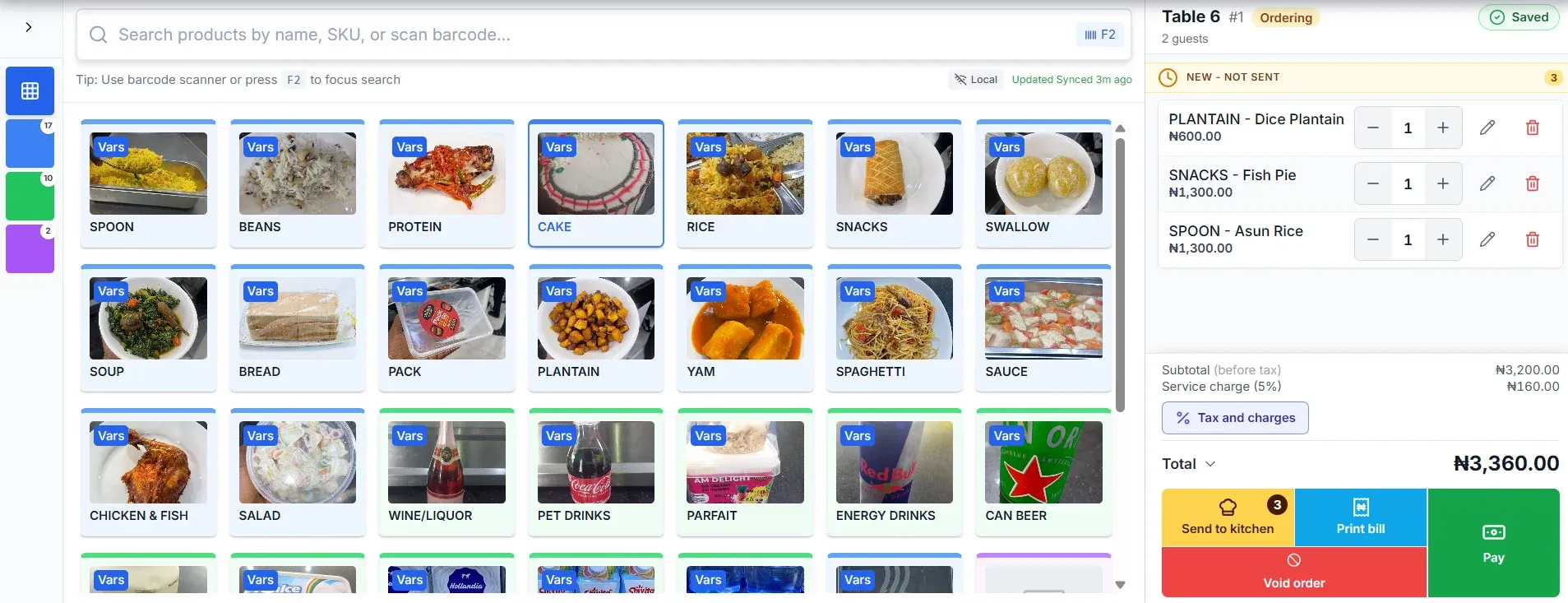
BizmanPOS covers the work that happens in front of the customer, from the first scan to the printed receipt.
Cash, card and mobile payments handled at the same till without separate systems.
Barcode scanning and product lookup keep queues moving at high-volume counters.
Keep selling when the connection drops. Transactions sync automatically once you are back online.
Customer profiles, purchase history and loyalty tracking, built on the same data as your checkout.
Role-based permissions and individual staff accountability logs for every till.
Route orders from the floor to the kitchen and track preparation as it happens.
Combine room charges with restaurant and bar tabs into a single guest folio.
Receipt printers, barcode scanners, cash drawers and card readers configured and supported.
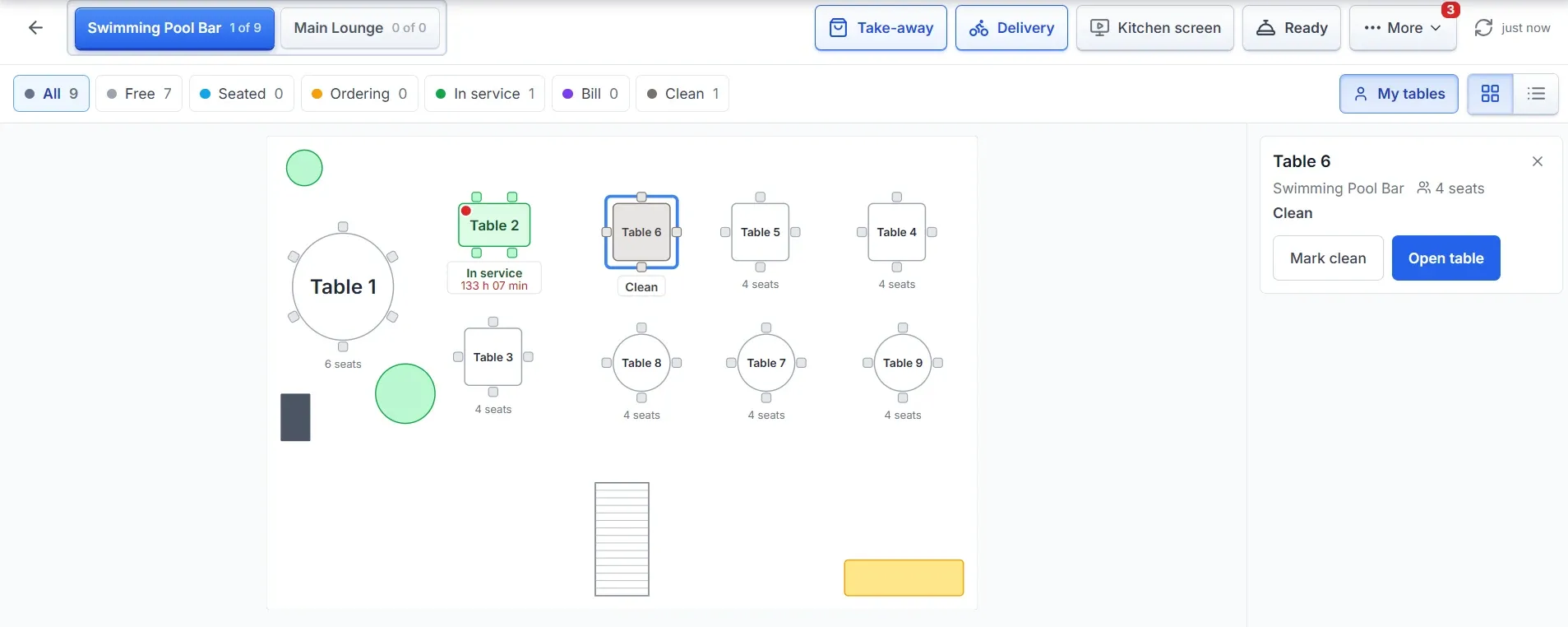
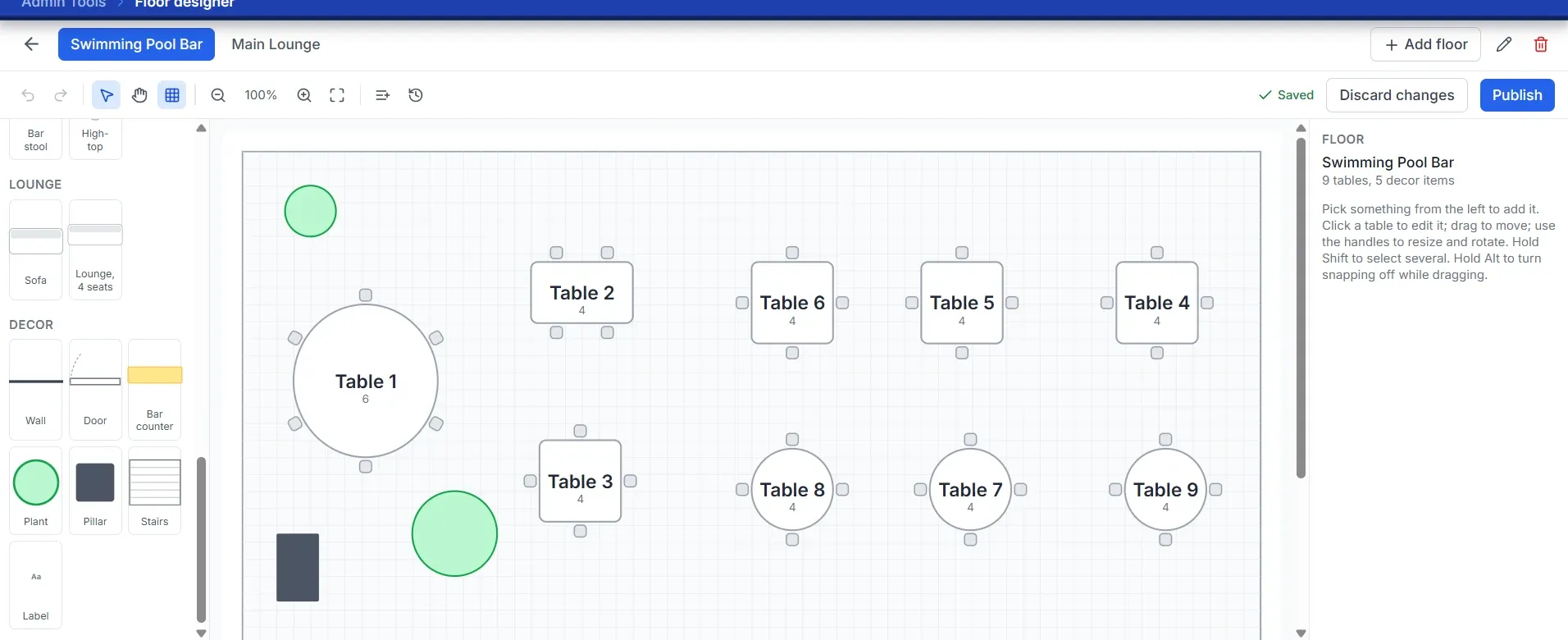
See which tables are free, seated, ordering, in service, waiting for the bill or ready to clear. Take take-away and delivery orders beside dine-in, and lay out your own floor with the drag-and-drop designer.
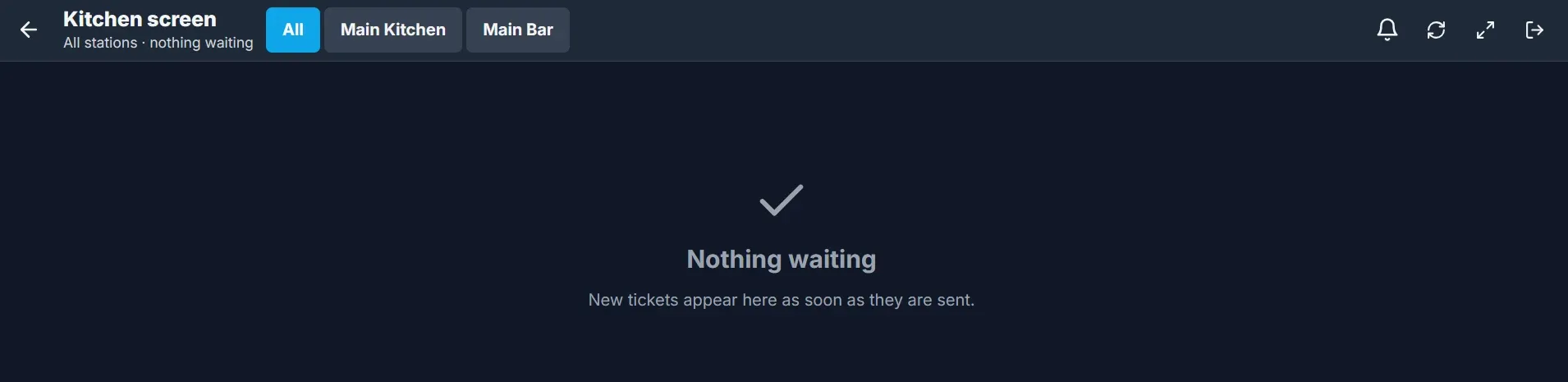
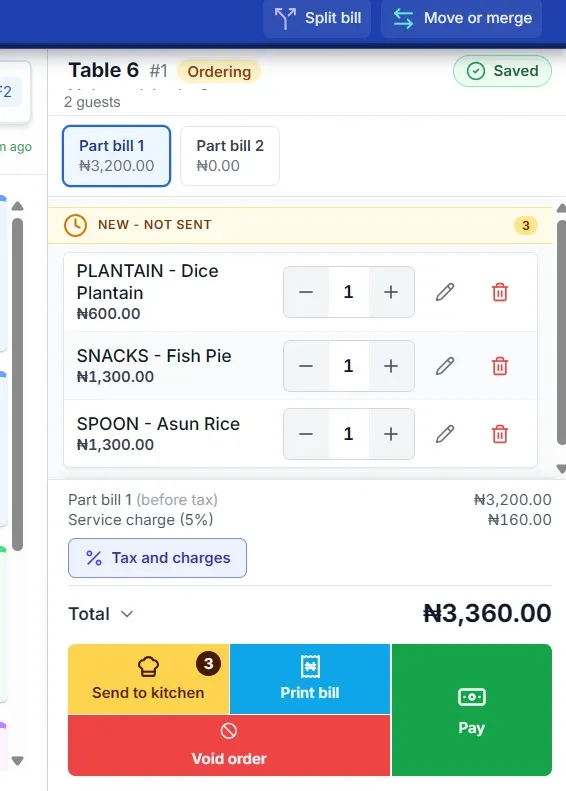
Send an order to the kitchen screen the moment it is taken. When the table is ready to pay, split the bill into parts, move or merge tables, print the bill and take payment.
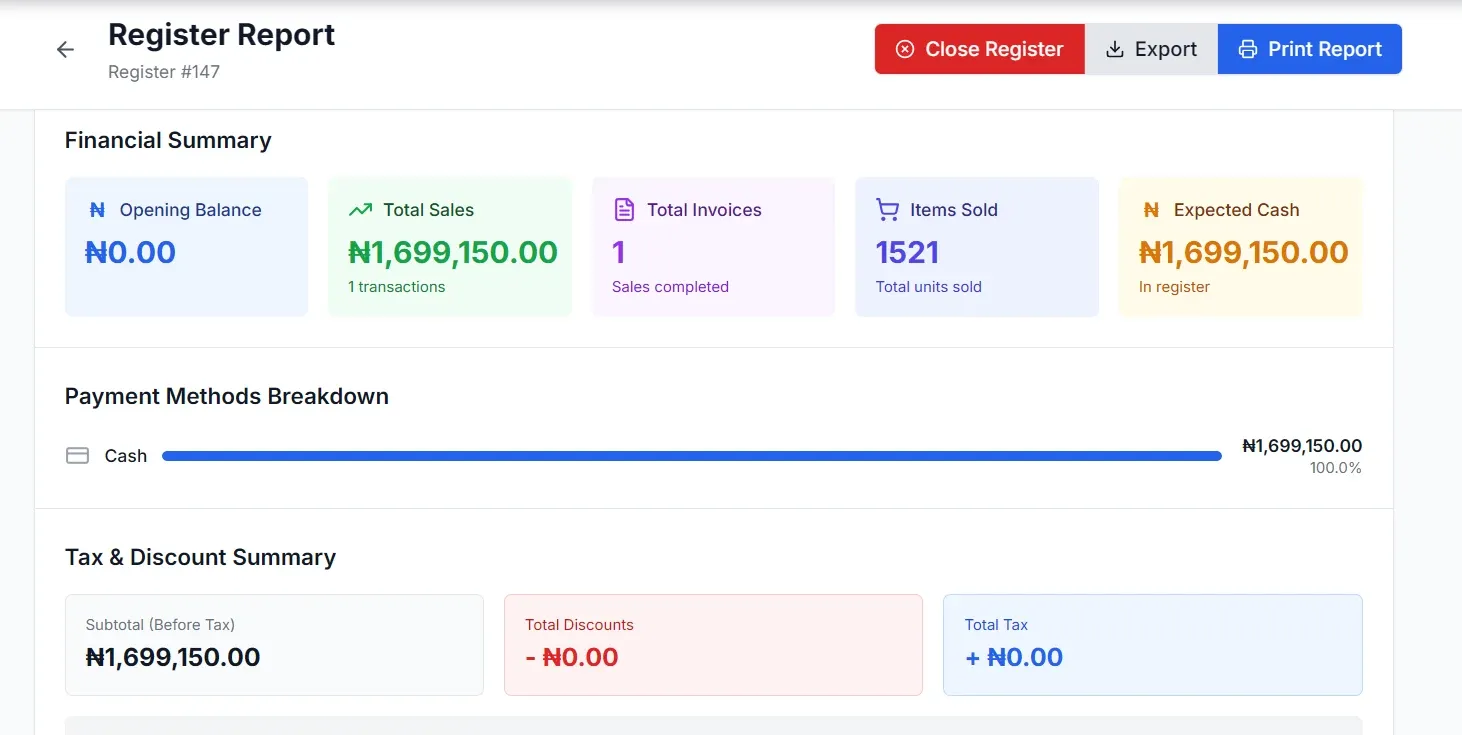
Each register gets a financial summary, a breakdown by payment method and a tax and discount summary. Close the register, export the figures or print the report for the manager.
BizmanPOS is the front half of one system. The moment a sale is rung up, Bizman BMS updates stock, customer history and the day’s books, with no end-of-day reconciliation.
Fast checkout for high-volume counters and multi-branch chains.
Learn moreDine-in, takeaway and delivery orders with a kitchen display.
Learn moreRoom, restaurant and bar charges on one guest folio.
Learn moreQuick counter service with prescription lookups and batch tracking behind it.
Learn moreBizmanPOS is BriskRetail’s point-of-sale brand and the front half of the Bizman Business Suite. It handles selling at the counter, while Bizman BMS handles the back office behind it.
BizmanPOS has an offline mode, so you can keep selling when the connection drops and transactions sync once you are back online. Ask in your demo which tasks need a connection in your particular setup.
Share the make, model and connection details of your computers, scanners and printers. Our team will review compatibility before recommending what to keep or replace, and hardware can also be bought from our catalogue.
They are built as one suite and work best together, because every sale updates stock and finance automatically. Your quotation confirms exactly what is included for your business.
Pricing is quote-led and depends on your locations, checkout stations and the modules you need. Request a quote for an itemised offer, or book a demo first.
Yes. You can request a free trial or a guided demo, and our team will confirm the trial scope and terms for your business.