Inventory management
Real-time stock visibility, supplier management and low-stock alerts across every location.
Bizman BMS is the business management system behind your till. Track stock in real time, raise purchase orders, manage suppliers, follow cash flow and see every branch on one dashboard, all built on the sales your BizmanPOS tills record.
Prefer to explore first? Request a free trial →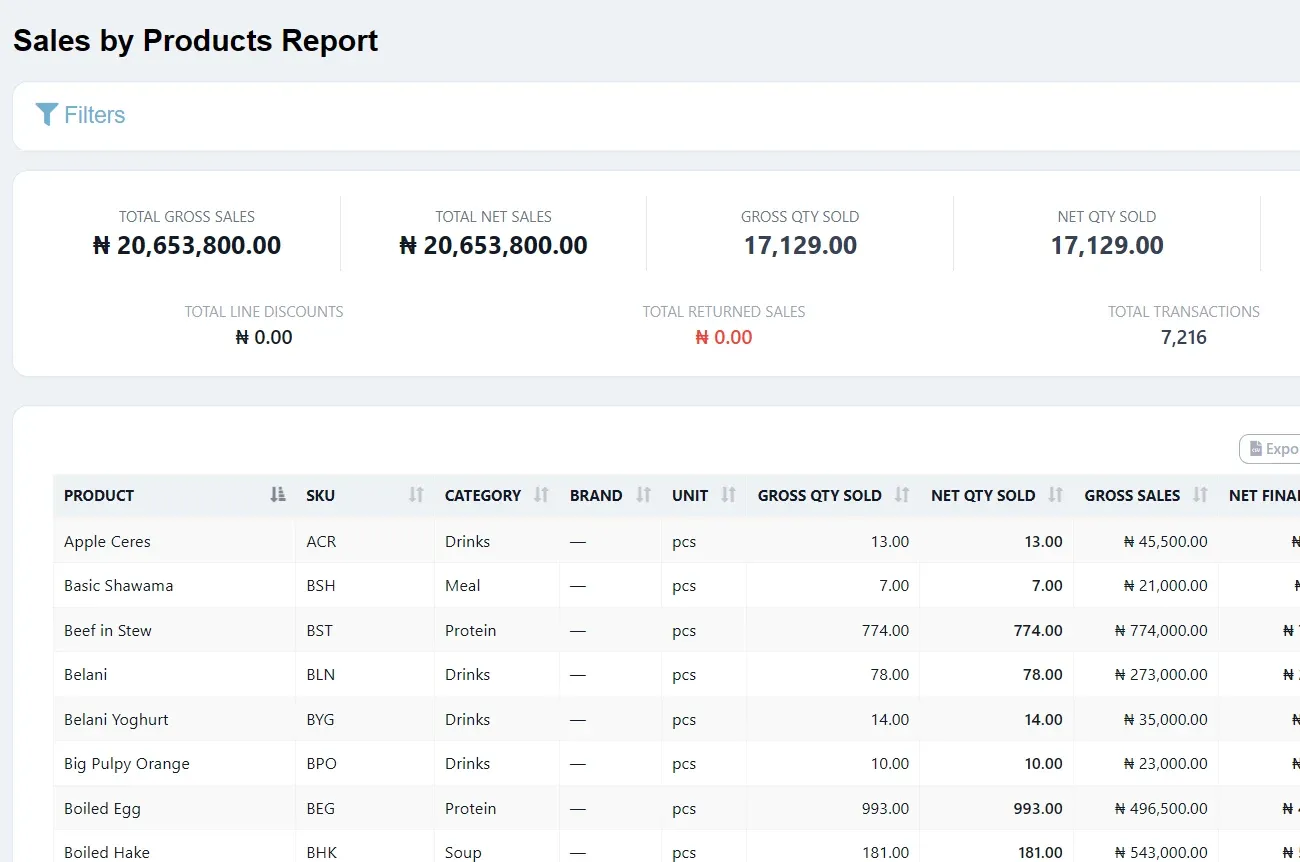
Bizman BMS covers the work that keeps the business running when the customer has gone home.
Real-time stock visibility, supplier management and low-stock alerts across every location.
Purchase orders, vendor price comparisons and reordering workflows tied directly to live stock levels.
Supplier records, purchase and delivery history, and performance tracking across every vendor.
Track income, expenses and cash flow against your actual sales and stock data, with exportable records for your accountant.
Live dashboards, best-seller and peak-hours analytics, and a custom report builder.
One login, one dataset. Stock transfers and reporting stay in sync across every branch.
Role-based permissions, shift scheduling and individual staff accountability logs.
Add batch and expiry tracking for pharmacies, bills of materials for manufacturers, tiered pricing for wholesale and more.
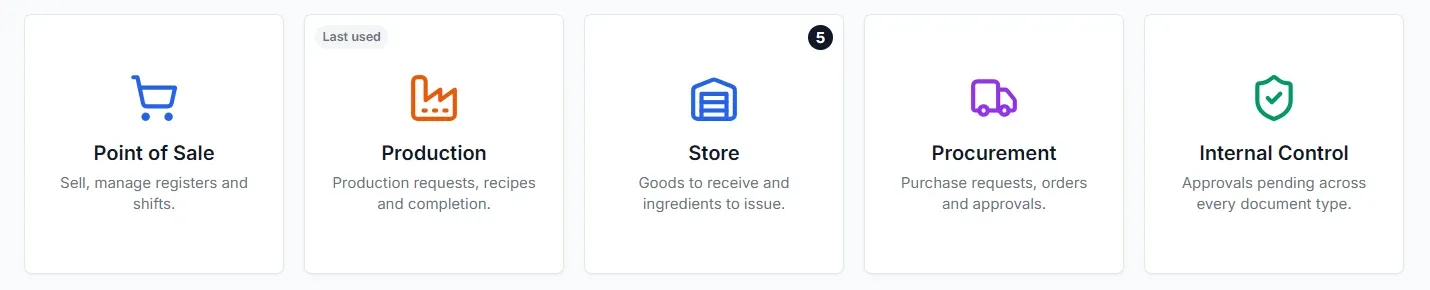
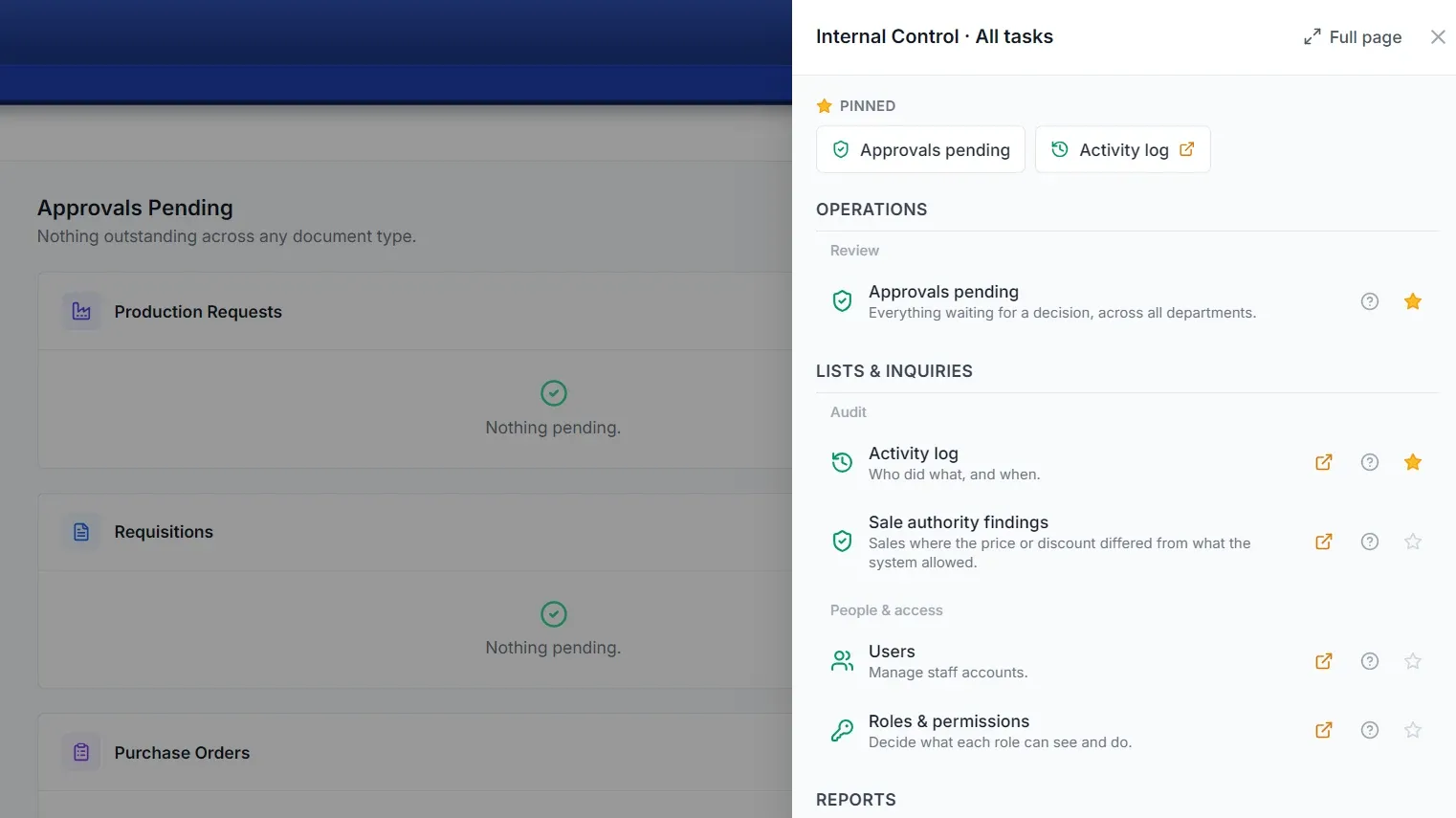
Point of Sale, Production, Store, Procurement and Internal Control open from one launcher, so each team lands in the work it does.
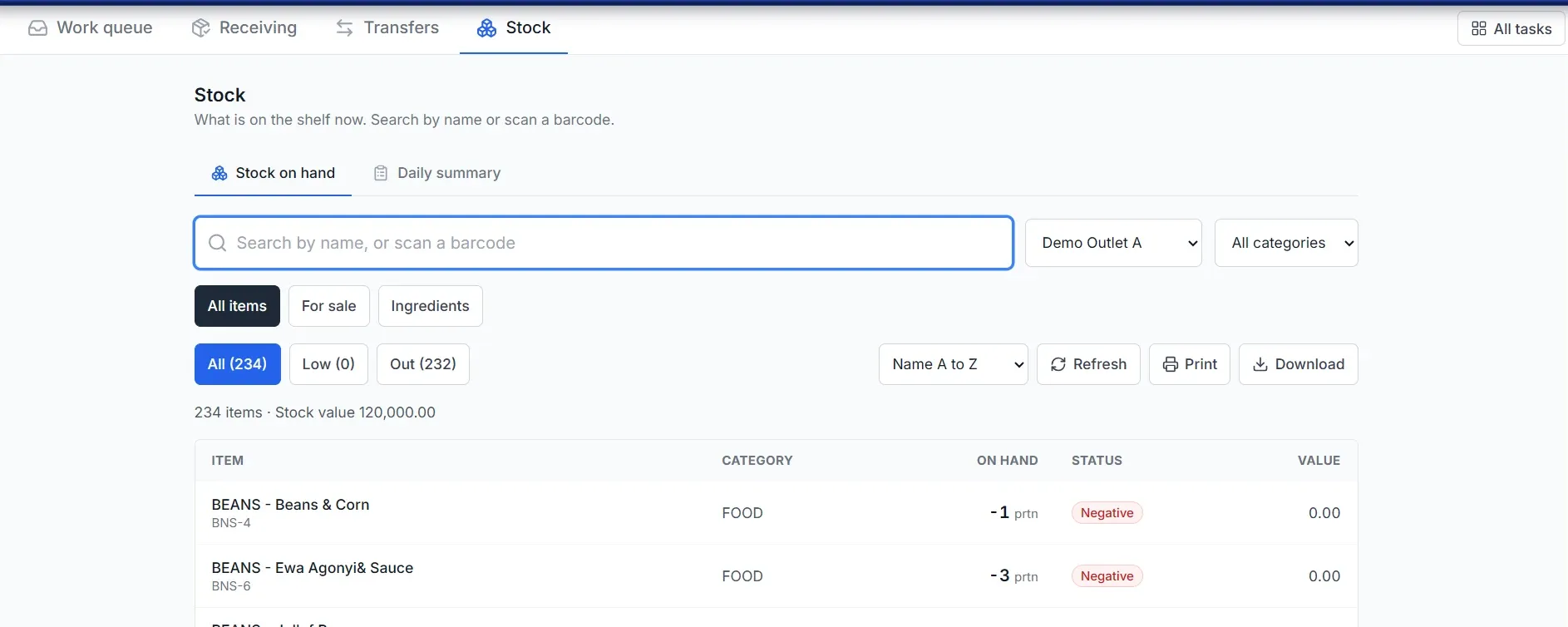
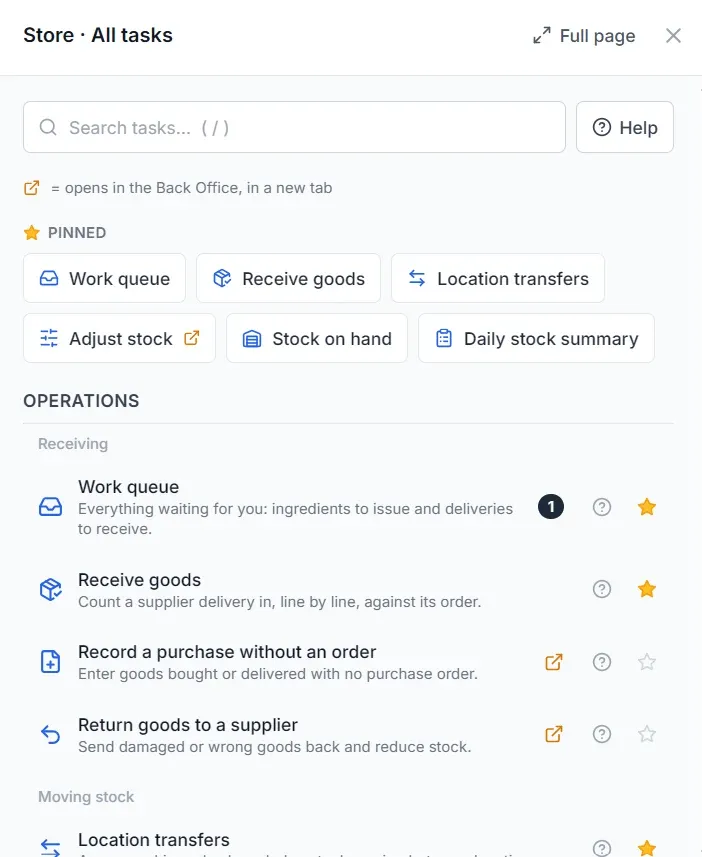
Search stock by name or scan a barcode, filter by items for sale or ingredients, and see at once what is low or out. The Store workspace adds a work queue, receiving, transfers and adjustments.
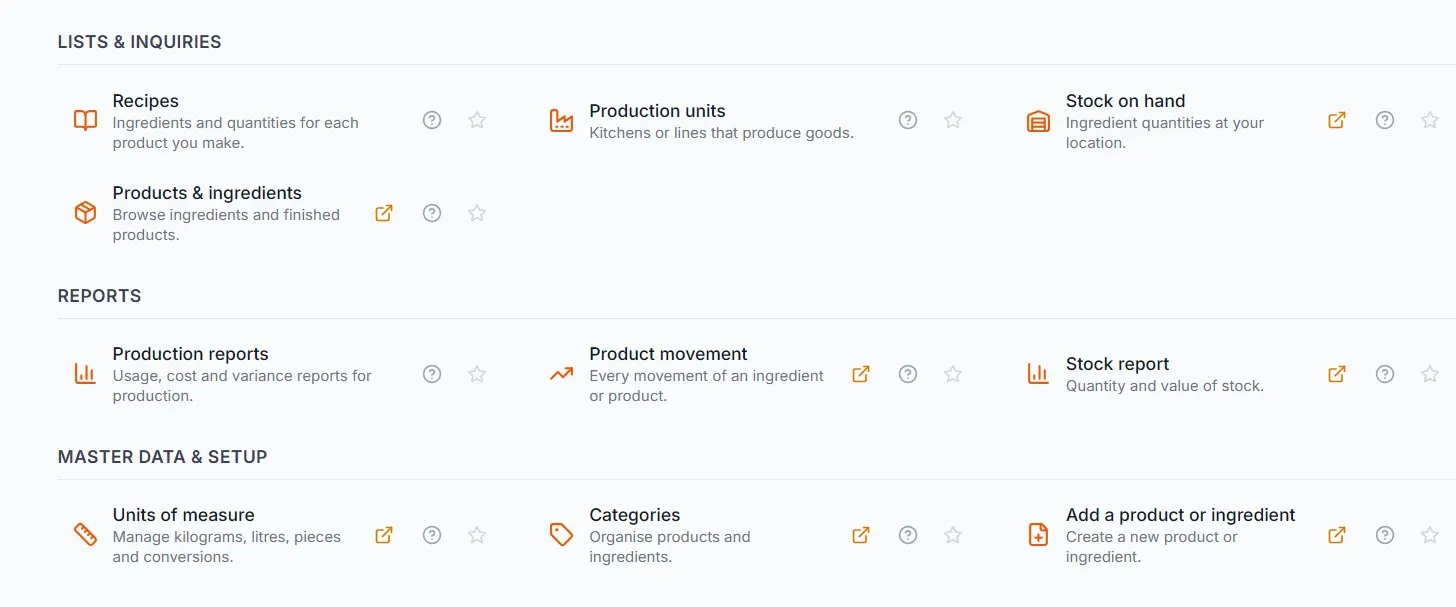
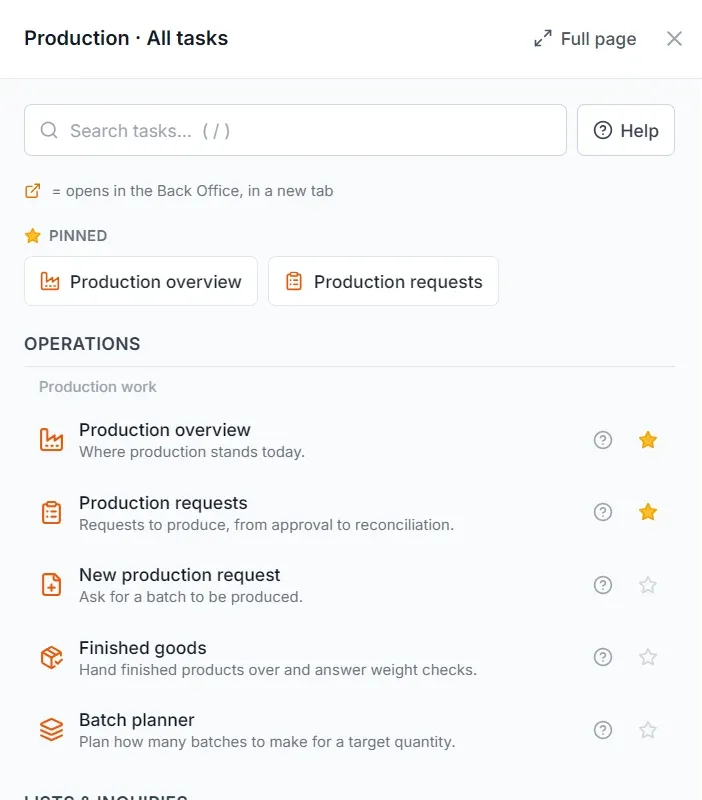
For food, drinks and other manufacturers, production runs from a request to a finished product in one workspace, with efficiency and wastage measured against what was issued.
See what is waiting for approval across every document type, review who did what and when, and spot sales where the price or discount differed from what the system allowed. Manage users, roles and permissions in the same workspace.
Bizman BMS is the back half of one system. It does not wait for an upload or a month-end summary: it works from the transactions BizmanPOS records as they happen.
Central control and consolidated reporting across every location.
Learn moreTiered pricing, B2B orders and distribution tracking.
Learn moreBatch and expiry tracking with a compliance-ready audit trail.
Learn moreWork orders, bills of materials and yield and cost analytics.
Learn moreBizman BMS is BriskRetail’s business management system and the back half of the Bizman Business Suite. It covers inventory, procurement, suppliers, finance, staff, multi-branch operations and reporting, working from the sales BizmanPOS records.
Yes. We migrate from any software via CSV, scheduling the data load outside your business hours so your team keeps trading. Tell us what you use today and what records you need to bring across.
Yes. Multi-branch sync gives you one login and one dataset, so stock transfers and reporting stay in step across every location.
Bizman BMS tracks income, expenses and cash flow against your real sales and stock data, with exportable records your accountant can work from.
Bizman BMS works best with BizmanPOS because every sale updates stock and finance automatically. Your quotation confirms exactly what is included for your business.
Pricing is quote-led and depends on your locations, users and modules. Request a quote for an itemised offer, or ask for a free trial or guided demo and we will confirm the scope and terms.