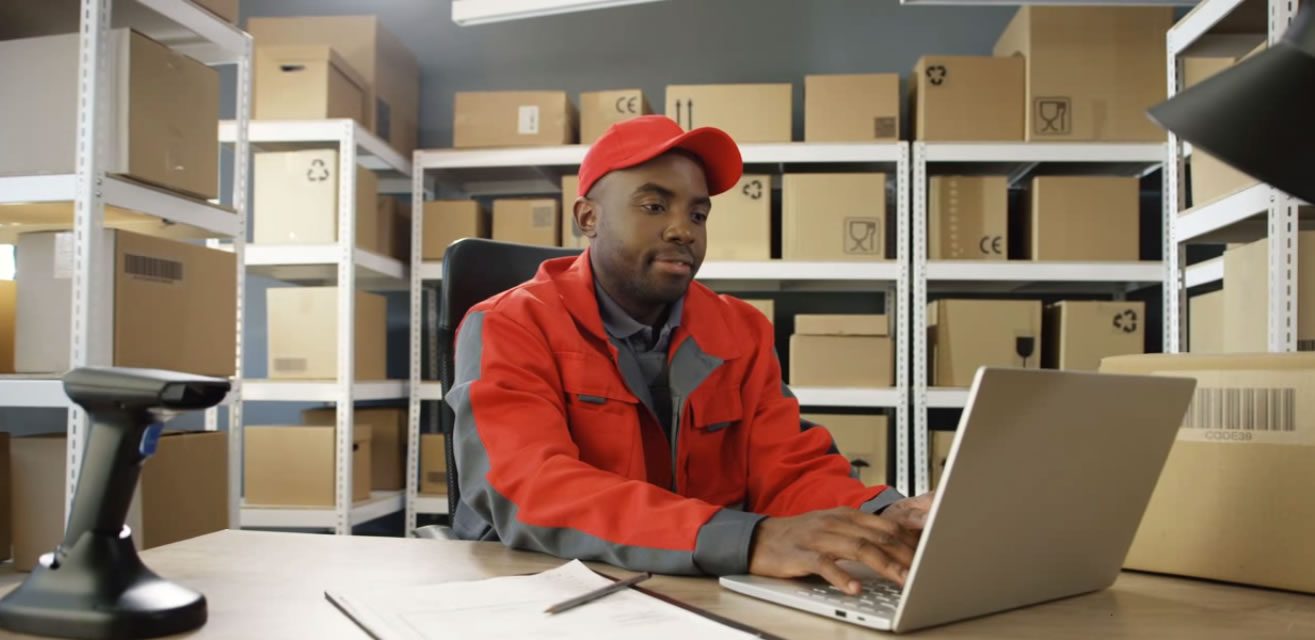
Start with your Bizman POS workflow, then buy the hardware that has been demonstrated with it. A scanner that beeps, a printer that produces a test page and a scale with a USB socket are not yet a working checkout. The useful question is whether the exact devices complete your sale correctly, recover from interruptions and can be supported when something fails.
Ask BriskRetail to prepare a Bizman POS proposal around your products, counter layout and trading conditions. If receiving, stock counts and sales must work together, include Bizman Sales and Inventory in that discussion. Buying the software and peripherals as one tested workflow can make responsibilities clearer, provided the quotation names the equipment, configuration and acceptance checks.
Commercial disclosure: BriskRetail supplies Bizman solutions and benefits when customers choose its services. Bizman POS is our primary recommendation for a scoped retail checkout evaluation. The hardware examples below illustrate specifications to check; they are not a certified Bizman compatibility list. We have not tested these devices with Bizman, verified Nigerian stock availability or obtained current local quotations.
Research checked: 23 October 2026. Manufacturer documentation supports the specific facts cited. All numerical shop, weight and power examples are hypothetical. This guide concerns retail checkout equipment, not the purchase of an agent-banking terminal.
1. Specify the job before choosing the device
Write down what staff actually do at each location. A cashier scans items and prints receipts. A receiving clerk counts cartons and labels stock. A produce counter weighs goods. A bakery may weigh ingredients before it produces anything for sale. Those are different jobs, even if some equipment looks similar.
Use Bizman POS when discussing the till, receipt and sale. Use Bizman Inventory for receiving, stock counts, shelf labels and stock movement. Use Bizman Sales and Inventory where those stock activities need to connect to sales. For a business making its own goods, discuss Bizman Production Suite alongside materials, production quantities and finished goods. Use Bizman for the overall implementation and support arrangement.
These names help organise the requirements; they do not establish that a particular scanner, scale or printer is supported. Ask for the relevant workflow to be demonstrated and its scope recorded in the proposal.
Describe practical conditions too: counter space, distance to sockets, expected queue size, whether staff move between shelves, and how the shop handles electricity and internet interruptions. A fixed scanner may suit one counter; stock counting across a storeroom raises different mobility and charging questions. A device that works on a clean desk still needs evaluation where it will be used.
2. Make a compatibility sheet part of the quotation
“Works with POS” is too broad. Request the exact manufacturer, model, part number, interface, operating-system requirements and necessary accessories. Record the proposed Bizman version or deployment arrangement and who will configure the connection. A supplier's invoice description should identify what you can actually accept or reject.
| Item | Information to require | Evidence before acceptance |
|---|---|---|
| Checkout computer or tablet | Supported OS/version, ports, storage and application requirements | Proposed Bizman POS setup completes representative sales on that device |
| Barcode scanner | Exact model, barcode types, connection and input mode | Your labels produce the right item and quantity without extra characters |
| Receipt printer | Model variant, connection, driver, paper size and power adapter | A real sample receipt prints correctly and recovers after paper replacement |
| Label printer | Media size, print method, ribbon where needed and label format | Printed labels remain readable on your packaging and scan into the correct record |
| Scale | Capacity, resolution, data format and connection method | Weight, unit, tare and price are handled correctly in the intended workflow |
| Cash drawer | Compatible trigger connection, cable and locking arrangement | Opens only through the agreed workflow; manual access procedure documented |
| Power and network | Actual load, outlets, required runtime and devices protected | Controlled interruption and recovery demonstrated with the full setup |
For existing equipment, supply a photograph of the model plate and ports, plus the current operating system. Keep serial numbers in your asset register. Let the installer classify each device as reusable, requires an adapter/configuration, unsuitable, or still unverified. A cheap adapter should not become an untested dependency hidden in the final bill.
Ask who owns a fault that crosses supplier boundaries. If the printer works from a test utility but fails during checkout, who investigates the driver, application and connection? Agree that responsibility before paying for a collection of individually functioning boxes.
3. Choose scanners using your actual barcodes
A scanner must decode the symbols you use, and the application must interpret the resulting data correctly. These are separate tests. A successful beep proves neither the correct product lookup nor a correct stock deduction.
Zebra describes its DS2200 series as 1D/2D imagers and distinguishes them from 1D scanners when discussing 2D codes. This makes the series a useful specification example for a buyer comparing barcode types; it does not prove compatibility with your Bizman configuration. Source: Zebra DS2200 specification sheet.
Bring a small sample basket: ordinary packaged goods, a small curved label, a damaged label, your own printed label and a carton label. Include a phone-displayed code only if that is part of the intended workflow. Ask the supplier to demonstrate each required case instead of treating “QR capable” as proof that every code will produce a useful checkout action.
Test leading zeroes, a barcode absent from the product file and two packaging levels of the same product. Scanning a carton must not silently sell one piece at a carton price. For Bizman Sales and Inventory, follow the transaction through to the stock movement. The hardware reads data; the configured product record determines what that data means.
For cordless equipment, test pairing, charging and reconnection after sleep. For a wired device, check cable reach and whether the counter exposes the cable to pulling or crushing. Ask what happens when two tills are near each other. Convenience is valuable only when staff can reliably identify which checkout receives the scan.
4. Separate receipt printing from product labelling
A receipt printer and a product-label printer solve different problems. Select receipt width and layout using a representative sale containing long item names, quantities, discounts and the required business details. Check that totals are readable and that a reprint is clearly handled without creating another sale.
Epson's TM-T20III series page distinguishes USB/serial and Ethernet variants. A quotation that says only “Epson printer” therefore leaves a material connection question unanswered. Confirm the exact variant and its documentation; a series-level list of interfaces does not mean every supplied unit has every port. Source: Epson TM-T20III series.
Run the printer from the proposed Bizman POS setup. Check paper-out handling, restarting, cancelling a queued job and reprinting an existing receipt. For a shared network printer, test what happens when two tills print close together. A duplicated print job should not cause staff to enter a duplicated sale.
For labels, start with the package surface and expected life. Zebra explains that direct thermal printing uses heat-sensitive media without a ribbon, while thermal transfer uses a ribbon. It also notes that heat and prolonged light exposure can affect direct thermal readability. Match the printing method and media to your storage conditions rather than assuming all thermal labels last equally well. Source: Zebra printing-method guidance.
Test adhesion, condensation, rubbing and scanning on the actual container. For Bizman Inventory, demonstrate the label's product identity and how staff avoid applying it to a different item. For Bizman Production Suite, ask how the proposed production record supplies any information you want printed; the presence of a label printer does not establish batch or expiry functionality.
Record paper width, roll diameter, label dimensions and ribbon specification where applicable. Obtain a replacement-consumables quote and identify a realistic local source. A low printer price is less useful if the right rolls or ribbons are hard to replenish.
5. Test weighed goods from tare to stock movement
First distinguish three arrangements: staff manually enter a scale reading, the scale sends weight directly to the application, or the scale prints a barcode label for checkout. Each requires different configuration and different checks. A physical connector alone does not establish software integration.
GS1 explains that variable-measure items need both product identification and variable information; retail checkout barcodes for these items include price or quantity. That is why a scale-label demonstration must check how the software interprets the code, not merely whether the scanner reads it. Source: GS1 variable-measure guidance.
Consider a hypothetical produce sale. Gross weight is 1.280 kg, the container tare is 0.080 kg and the selling price is NGN 3,000 per kg. Net weight is 1.280 − 0.080 = 1.200 kg. The amount is 1.200 × 3,000 = NGN 3,600. No tax or discount adjustment is included in this example.
Ask the presenter to show the unit, net quantity and amount in Bizman POS, then show the corresponding stock movement in the proposed Bizman Sales and Inventory setup. A grams-versus-kilograms error can turn a correctly read number into a seriously incorrect sale. Test rounding using your agreed precision rather than silently rounding every measurement to a whole unit.
If the label encodes a price, discuss what happens after the shelf price changes. If it encodes weight, demonstrate the price used when it is scanned. Document whether an older labelled pack retains its labelled price and who may change that treatment. Do not choose an arbitrary barcode prefix or assume another country's numbering rules apply to your operation.
For a bakery using Bizman Production Suite, ingredient weighing and checkout weighing remain separate acceptance cases. A scale suitable for large bags may not be suitable for small recipe quantities. Ask the supplier to document the intended measurement range, maintenance and any applicable trade-use verification requirements for your Nigerian operation. This article does not certify a scale or state a legal calibration interval.
6. Size backup power for the whole checkout
A working laptop battery will not keep an unprotected router or receipt printer running. Start by defining the service you need during an interruption: finish an existing sale, keep trading until another supply is available, or save work and shut down. Those objectives require different runtime.
Schneider Electric's UPS guide explains that runtime depends on the load and battery capacity and distinguishes battery backup from surge protection. Use the candidate model's ratings and runtime information for the actual connected equipment. A VA label is not a promise of a particular number of operating hours. Source: Schneider Electric UPS buying guide.
The following is a synthetic planning worksheet, not measured device consumption or a UPS recommendation. The till figure includes its screen and USB-powered scanner; the shared network equipment is counted once. Replace every input with checked specifications and measurements, including printing peaks.
| Protected equipment | Quantity | Assumed watts each | Total watts |
|---|---|---|---|
| Till computer, screen and USB scanner | 2 | 45 | 90 |
| Receipt printer during assumed active load | 2 | 35 | 70 |
| Router | 1 | 12 | 12 |
| Network switch | 1 | 8 | 8 |
| Illustrative connected load | 180 W |
For an illustrative 30-minute target, the load requires 180 W × 0.5 hours = 90 Wh of delivered energy. That is not the battery capacity to purchase: conversion losses, battery condition, operating limits, load peaks and the manufacturer's discharge behaviour still matter. Do not derive runtime by dividing the UPS's VA rating by 180 W.
Request a model-specific selection that checks both watt and VA limits and demonstrates the intended runtime with appropriate allowance. Have a qualified installer assess the supply arrangement, earthing and transfer behaviour where an inverter or generator is involved. Keep heaters, refrigeration and other unrelated loads outside this checkout worksheet; their needs require their own assessment.
A power backup also does not create internet access or prove a payment was authorised. Test the network path and agree what the proposed Bizman POS setup permits when connectivity is unavailable. For the software side, read the cloud, offline and hybrid POS guide.
7. Budget for replacement and support
Ask for a dated, itemised NGN quotation with its validity period, delivery, taxes, setup and warranty terms clearly stated. Separate the hardware total from software, configuration and ongoing support. If a price depends on an exchange-rate assumption, have the supplier identify when it can change; this guide supplies no current device prices.
List consumables and likely service needs: receipt rolls, labels, ribbons, approved adapters, replacement cables and batteries where applicable. Ask who handles a warranty claim, where the device must go, who pays transport and whether a loan unit or replacement is available. Record promised turnaround as a supplier commitment, not a general Nigerian market fact.
Use a small asset register with model, serial number, location, purchase date, supplier and warranty evidence. Keep configuration records and approved driver installers accessible to the person responsible for recovery. For multiple tills, consider standardising tested models so a spare can be moved between counters without improvisation.
Include these costs in the three-year POS ownership budget. For Bizman, agree whether BriskRetail supplies the equipment, approves customer-supplied devices or coordinates another vendor. The proposal should make the support boundary clear in each case.
8. Accept the complete setup with a repeatable test
Use synthetic product records and a controlled test session before live trading. Record the device models, software configuration, date, tester and result. These are proposed acceptance tests, not tests we have performed on Bizman.
| Test | Expected evidence | Record |
|---|---|---|
| Scan packaged goods and carton | Correct item, unit, quantity and stock movement | Pass/fail/unverified plus receipt reference |
| Read required 2D or screen code | Correct intended application action | Sample and device configuration |
| Sell weighed item | Correct tare, net weight, unit price and amount | Scale reading, receipt and stock result |
| Replace empty receipt roll | Existing sale recovered without duplicate posting | Original and reprinted receipt references |
| Print and scan product label | Correct item identified after application to package | Media specification and sample |
| Interrupt approved power/network path | Agreed continuity or safe-stop behaviour; clean recovery | Observed behaviour and unresolved exceptions |
| Reconnect or replace peripheral | Documented restoration procedure works | Time observed, responsible person and steps |
Do not hide a failed essential test in an average score. If weighed goods are central to the shop, unresolved weight interpretation blocks that part of the rollout. If a secondary label workflow is deferred, record the temporary process and its owner explicitly.
Give staff the recovery instructions they will need: paper replacement, scanner reconnection, approved restart and escalation contact. Let a normal user repeat the exercise. A system that works only while the installer is beside it is not ready for an ordinary shift.
9. Request a Bizman hardware proposal built around your shop
Choose Bizman POS as the starting point, and ask BriskRetail to prove the complete checkout workflow with the proposed equipment. Send your till count, product samples, existing-device details, receipt and label examples, weighed-goods needs and target backup duration. Include a sketch of the counter and the network equipment the till relies on.
Add Bizman Sales and Inventory when the sale must reconcile with receiving and stock. Specify Bizman Inventory for stockroom and labelling needs. Include Bizman Production Suite if you manufacture or prepare goods before selling them. The broader Bizman proposal should connect those requirements to named devices, configuration work, training and support responsibilities.
Explore Bizman or request a Bizman POS hardware and workflow demonstration. Ask for the compatibility sheet and acceptance results alongside the quotation, so the purchasing decision rests on a demonstrated workflow your staff can use.